Mobile apps built for the moments your users are away from a desk.Mobile App Development for iOS & Android
Mobile Applications
- Cross-platform iOS and Android development
- Offline-first data capture and sync
- Camera, GPS, barcode and signature capture
- Push notifications and in-app messaging
Problems this solves
Field teams still rely on paper and phone calls
Job details, photos, signatures and timesheets are captured late, lost, or re-typed in the office.
Customers expect an app experience
Your service would be easier to use with notifications, saved preferences and one-tap actions.
An existing app has poor reviews
Crashes, slow screens or outdated design are affecting how customers see your business.
What we deliver
- Cross-platform iOS and Android development
- Offline-first data capture and sync
- Camera, GPS, barcode and signature capture
- Push notifications and in-app messaging
- Secure login, including single sign-on
- App Store and Google Play release management
Example use cases
Field service app
Technicians receive jobs, record work with photos and signatures, and log time on site.
Customer companion app
Customers book, track and manage services from their phone.
Inspection and audit app
Structured checklists that work without signal and sync when connectivity returns.
Internal team app
Approvals, announcements and quick actions for staff who are rarely at a computer.
Mobile Applications work
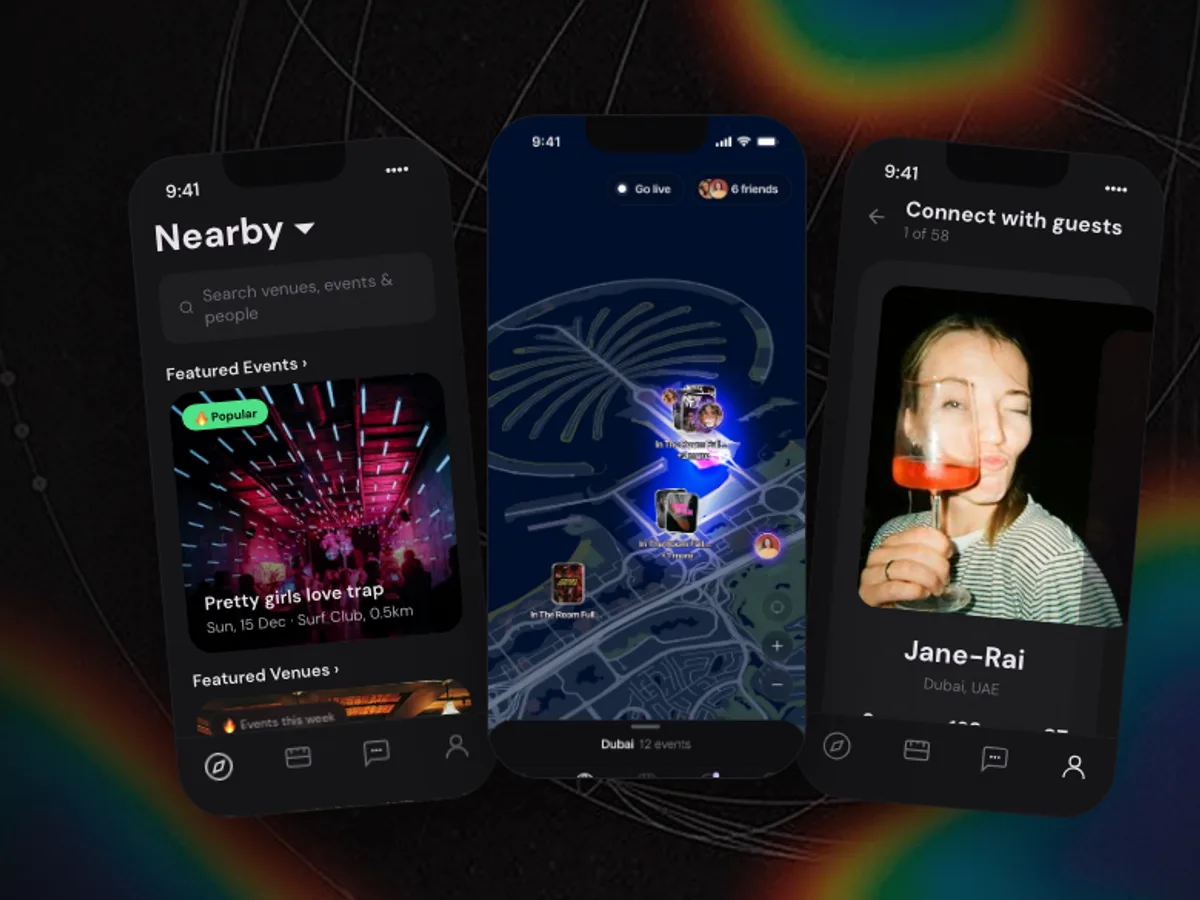
Lifestyle, UAE
Portl
Social discovery app for nightlife, restaurants and events in Dubai.
4.6on the App Store, from 100+ ratings (October 2026)
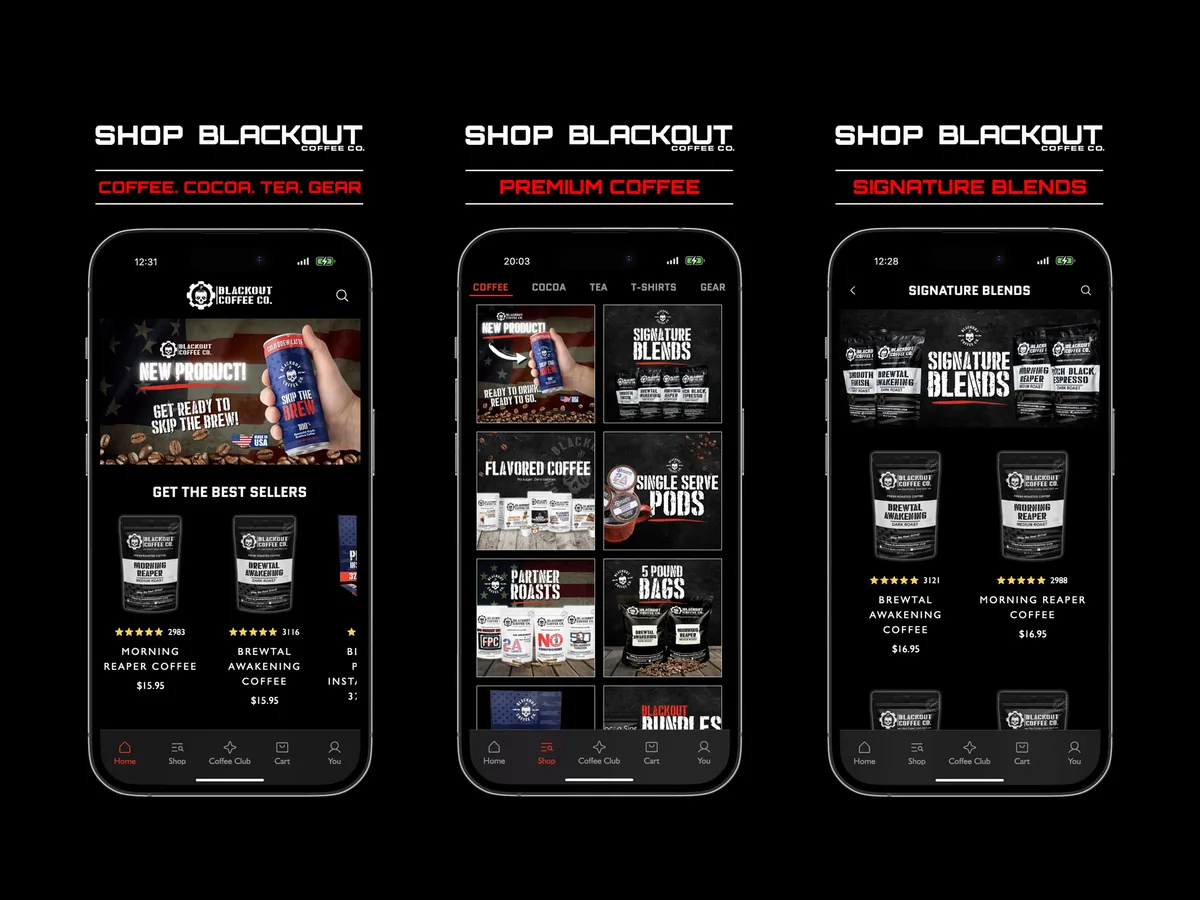
E-commerce, United States
Blackout Coffee
Mobile shopping app for a coffee roaster based in Florida.
4.9on the App Store, from 3,800+ ratings (October 2026)
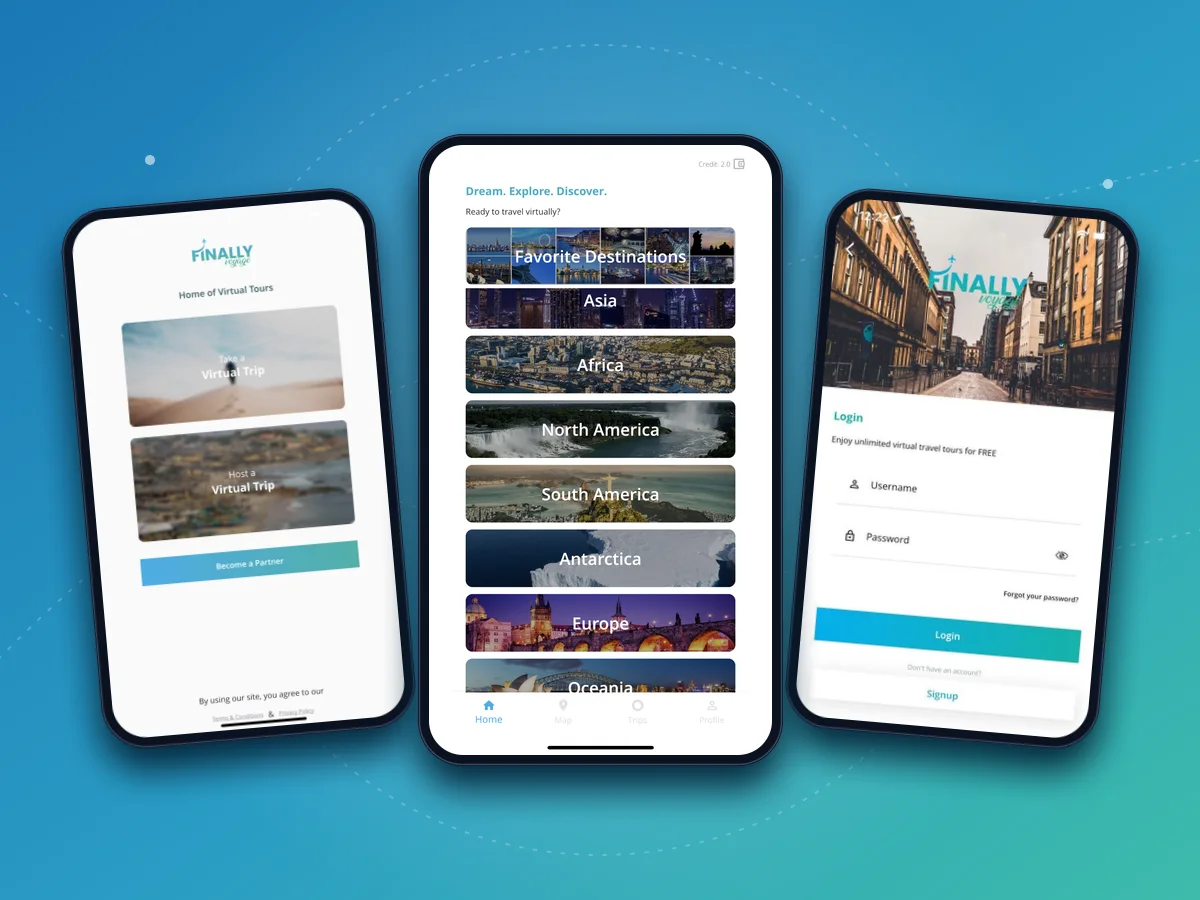
Travel, Worldwide
Finally Voyage
Virtual travel app with tours of destinations led by local hosts.
How we approach it
- Step 1
Observe the context
We look at where and how the app will be used: gloves, sunlight, poor signal, one free hand.
- Step 2
Choose the right stack
Cross-platform frameworks suit most business apps. We recommend native development only when the requirements call for it.
- Step 3
Test on real devices
Builds are shared with your team through TestFlight and internal testing tracks throughout development.
- Step 4
Release and maintain
We handle store submission and keep the app compatible with new OS versions after launch.
Relevant technologies
- React Native
- Flutter
- TypeScript
- Expo
- Push notifications
- Node.js
- PostgreSQL
Mobile Applications: common questions
Do we need separate apps for iOS and Android?
Usually not. React Native and Flutter let us build one codebase that runs on both platforms, which reduces cost and keeps features in sync. Some specialized hardware or performance needs are better served natively; we will flag this during discovery.
Can the app work without an internet connection?
Yes. For field and inspection apps we design offline-first storage and a sync strategy that handles conflicts when the device reconnects.
Can you publish the app to the App Store and Google Play?
We prepare builds, store listings and review submissions. The apps are published under your own developer accounts so you stay in control.
Can the mobile app share a backend with our web application?
That is often the best approach. A shared API keeps data and business rules consistent across web and mobile.
Write to us
Messages go straight to a founder, so you talk to the people who lead the work.
Have a mobile workflow that needs to work better?
Tell us who will use the app and what they need to do. We will outline the core features for a first release.
[email protected]Prefer a form? Start a conversation, or book a 30-minute call (opens in a new tab).
- 1We reply within one business day.
- 2A free 30-minute call about the problem, not a sales pitch.
- 3A written estimate, or an honest answer if software isn’t the fix.


Your first call is with Arsalan or Salman,
the founders of Nexevol.